

If you work in HR, you know the information you need is almost never in one place.
Part of it lives in a system. Part of it sits in a manager’s inbox. The rest is something you’re holding onto because you’ve been the one keeping track of it across all the moving pieces.
Everything is technically there. But getting to clarity takes more effort than it should.
That’s where AI is starting to become useful for HR teams. Not as a way to make decisions for you or change how you operate overnight, but as a way to reduce the friction that builds when information, communication, and context are spread across too many places.
Here are 12 ways HR teams are using AI in practical, grounded ways to make the work feel more connected and easier to manage.
1. Audit Your Leave Experience, Not Just Your Policy
Most leave processes were built around tracking and administration. On paper, everything looks structured—requests, approvals, and documentation all exist. But when you zoom out, what’s often missing is a clear, connected view of the employee’s journey from start to finish.
That’s where things start to feel harder than they should. Your team ends up stitching together updates from different systems, managers are working off partial context, and employees are trying to understand what’s happening while they’re already in a high-stakes moment.
What this could look like in practice: Before layering any technology, audit the actual experience. Ask yourself:
- Can your team see the full employee leave journey in one place?
- Do employees have a single, consistent way to get answers?
- Are compliance checks proactive or reactive?
If those answers are unclear, that’s the friction to address first. AI should restore visibility, consistency, and human support at scale — it can’t fill gaps that haven’t been identified yet.
2. Turn Recurring Questions Into Clear, Reusable Guidance
The same questions surface every month: after open enrollment, policy updates, or major announcements. Answering them one at a time is a drain that compounds. AI can help you get ahead of it.
What this could look like in practice:
- Collect commonly asked questions from email, Slack, or HR inboxes.
- Use a company-approved AI tool to group themes and surface common points of confusion.
- Turn those insights into FAQs or clearer manager guidance.
This will help your team respond to fewer repeat questions while providing more consistent answers across the board.
3. Find Where Your Processes Are Creating Friction
Employee feedback holds patterns that are hard to see in real time. Recurring complaints, delayed requests, repeated confusion around the same steps — surfacing these patterns before they become bigger problems is exactly what AI is good at.
What this could look like in practice:
- Feed anonymized feedback, survey comments, and ticket summaries into a company-approved AI tool.
- Ask it to identify recurring blockers or delays.
- Prioritize one issue to address next quarter.
This will help your team get a focused, evidence-based HR improvement plan grounded in what employees are actually experiencing.
4. Standardize How Managers Respond To Common Situations
When managers keep bringing your team the same scenarios (accommodations, performance concerns, return-to-work conversations, team conflicts), that repetition is a signal. It means the guidance doesn’t exist yet in a form managers can use on their own.
What this could look like in practice:
- Collect 10 to 15 questions managers regularly bring to HR.
- Use a company-approved AI tool to draft consistent, policy-aligned response guidance for each.
- Review with key stakeholders, then share as a manager playbook or FAQ.
By providing people leaders with a guided playbook, employees across your organization will have a more consistent experience—with fewer one-off escalations landing in your queue.
5. Pressure-Test HR Decisions Before They Go Out
New policies and programs look different once employees are living inside them. Edge cases emerge and concerns may surface.
What this could look like in practice: Before rolling out a new policy, manager guidance, or people program:
- Share a draft with an approved AI tool.
- Ask it to identify potential employee concerns, edge cases, or unintended consequences.
- Review and adjust before launch.
Note: the outputs can act as another set of eyes, but the final decision should always remain with your team.
6. Turn Complex Documents Into Clear, Simplified Language
Complex documents and policies often mean dense structure, legal phrasing, and jargon-heavy formatting that creates distance between your team’s intent and what employees actually understand. AI can help your team simplify this.
What this could look like in practice:
- Paste the final document into a company-approved AI tool.
- Ask it to rewrite with simpler structure, clearer headings, and plain language.
- Compare the output with the original to make sure meaning stays intact.
Simplifying complex policies and documentation encourages better understanding and fewer follow-up questions, helping your employees to feel more confident in what they’ve read.
7. Prioritize and Structure Complex Employee Communications
When employee messages involve a lot of details, timelines, and next steps, HR leaders like Tilt’s Kim Smith rely on AI to help organize her thinking so responses stay clear, caring, and easy to follow.
What this could look like in practice:
- Draft the information you need to share in your own words first.
- Ask AI: “What are the top three things this person needs to understand first?”
- Use that outline to craft a concise, empathetic response with clear next steps.
The result is employees receiving guidance that feels human and manageable. AI supports structure and clarity while your team owns the tone, context, and final message.
8. Audit How Your Team Is Actually Spending Its Time
In HR, it often feels like there’s never a shortage of work to do but only so much during the day to do it. This is where AI can help.
At the start of a new quarter or any time burnout is starting to creep in, conduct an audit of how you and your team are using time.
What this could look like in practice:
- Ask your team to track how they spend time for one week.
- Categorize time spent into categories like admin, compliance, employee conversations, and strategy.
- Paste the summary into a company-approved AI tool and ask where the patterns of low-value, high-time work are hiding.
From there, your team can review what surfaces and decide what to shift. This helps you to make AI-supported, data-driven decisions that save your team time and capacity.
9. Use AI as a Brainstorming Partner
Starting a new initiative is hard when you’re already carrying a full workload. When you’re staring at a blank page on an engagement initiative, recognition program, recruiting campaign, or culture moment, AI can help you generate more options faster.
What this could look like in practice:
- Define the goal clearly (i.e. ‘increase manager participation in performance reviews).
- Give your company-approved AI tool context about your company size, industry, and real constraints.
- Ask AI for 10 creative but realistic ideas to achieve the goal.
- Refine the best two or three with follow-up prompts.
- Cross-examine against company policies and guidelines before moving forward.
The result is creating more ideas without replacing human judgement. AI helps with the output, while you stay firmly in control.
Note: Not all information should be entered into AI models. If you are unsure, speak with your company’s trusted team of IT and legal experts before moving forward.
10. Turn a Brain Dump Into a Clean SOP
Tilt’s Talent Cultivation Manager, Janisa Neumeier uses AI to help document a process she knows well but hasn’t had time to properly structure—whether it’s for onboarding workflows, review cycles, recruiting steps, or internal HR requests.
What this could look like in practice:
- Open a doc and write out everything involved in the process, in whatever order it comes to mind.
- Paste that brain dump into a company-approved AI tool and prompt: “Organize these notes into a clear step-by-step SOP.”
- Ask it to add sections for purpose, owner, and required tools if needed.
- Review and adjust before sharing.
By leveraging AI, you’re able to create a structured SOP in minutes instead of hours.
11. Summarize Past Notes So You Got Into Meetings Fully Prepared
Walking into a 1:1 or performance review without reviewing past notes leads to scattered conversations and missed follow-ups. AI can pull the thread together so you go in fully prepared.
What this could look like in practice:
- Gather notes from previous meetings or past communications.
- Paste them into a company-approved AI tool and prompt: “Summarize key takeaways, action items, and follow-ups for my next meeting.”
- Review the summary and adjust to reflect your priorities before walking in.
AI organizes your notes and thoughts, helping you to lead the conversation intentionally.
12. Turn Any Project Into a Clear Plan With Owners and Deadlines
New initiatives stall when steps and ownership are unclear. To help, teams can use AI to identify a clear plan and actionable steps that ensure projects are moving forward and nothing is getting lost or forgotten.
What this could look like in practice: Whether you’re starting a new initiative or managing a recurring process,
- Write a quick summary of the task or project, even if it’s rough.
- Paste it into a company-approved AI tool and prompt: “Break this into a step-by-step checklist with clear owners and suggested timelines.”
- Review and adjust based on your actual team structure before putting it to use.
The result is a structured plan you can execute on without relying on memory or scattered notes.
Where Does This Leave the Human Element?
When AI handles the structuring and the first drafts, HR gets time back for the work that matters most: the leave check-in that needs empathy, the performance conversation that needs judgment, or the policy decision that needs context only someone inside your organization has.
Most of the tips here are ones your team can start testing this week, inside tools you may already have. Pick the one that maps to where your time is going right now and try it. Building these habits incrementally is how AI actually sticks.
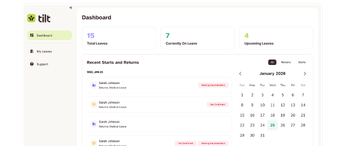
Some work is harder to simplify alone. Leave of absence sits at the intersection of compliance, communication, and employee experience in a way that a prompt and a checklist can only go so far. That’s where a partner like Tilt comes in. If leave management is the part of your work that feels most complex to take on solo, it’s worth a closer look.