
Frequently Asked Questions
What is Tilt?
Tilt is a Leave Experience Management (LXM) platform that helps organizations manage all leave types nationwide, including federal, state, municipal, and company-specific policies. With Tilt, organizations can manage leave in-house using modern, configurable technology, compliant workflows, and employee experiences designed to simplify leave management and build trust. For organizations that prefer outsourcing leave support guidance for their employees, Premium Support can be added.
What types of leaves does Tilt manage?
Our platform supports all leave types, including intermittent leaves, with the ability to add company specific policies
Does Tilt help with compliance?
Tilt Platform Only: Tilt’s technology is designed to help ensure the right rules and processes are reflected in the product and to identify potential compliance issues as requirements change. Tilt Tech Specialists support the technology, while the CSM works with the client’s HR team to help them navigate the platform. The client’s HR team remains responsible for making final determinations about employee eligibility, including applying its policies and making individual leave decisions. Tilt supports the technology and compliance logic but does not make leave eligibility or approval decisions on the client’s behalf.
Tilt with Premium Support: Tilt’s team of leave specialists ensures all federal, state, and local laws are adhered to as they support each employee leave. They provide best practices, review policies, and offer templates, helping HR teams mitigate compliance risks and ensuring all leaves are supported with consistency.
How does Tilt handle intermittent leave?
We integrate with Rippling, BambooHR, Workday, Paycor, and Paylocity. These integrations are included with Tilt Professional and can be added to Tilt Essentials for an additional fee.
What HRIS do you integrate with?
Tilt manages intermittent leaves down to the minute. Employees can report their intermittent time through the Tilt platform, ensuring accurate tracking of hours used and remaining.
What’s the difference between Tilt Platform Only and Premium Support?
- Platform Only: The client’s HR team manages the day-to-day leave process using Tilt’s technology and automation. The Tilt user will be responsible for making final benefits eligibility determinations, reviewing documentation, approving leave dates, and progressing the leave through return to work. Tilt provides leave technology including features like reporting, HR, Employee and Manager Dashboards, custom notifications, tasks and reminders, leave planning, and compliance logic – but does not make leave decisions on behalf of the user.
- Premium Support: Premium Support combines Tilt’s robust leave technology with expert guidance and one-to-one leave support for employees. Tilt’s Leave Specialists guide HR teams and employees through leave administration, including reviewing documentation, applying applicable leave rules, managing follow-ups, tracking leave timelines, and coordinating the leave through return to work. The leave process remains visible and connected to HR teams, while Tilt provides employees with leave expertise and compliance support.
What is the employee experience with Tilt?
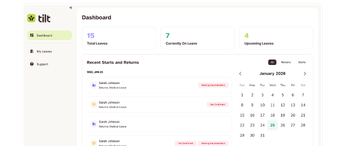
Employees receive a customized leave plan detailing all eligible benefits (FMLA, state, STD, company policies), how the benefits stack or run concurrently, and whether they are paid or unpaid. The Employee view in the Tilt platform shows the individual employee their leave balances, gives ability to access all required leave documents, and track leave related to-do’s and deadlines.
Premium Support: A Tilt Leave Specialist (human support) proactively reaches out to guide employees, answer questions, and assist with tasks like filing claims.
How do managers stay informed about employee leaves?
Managers whose direct reports are on leave receive notifications and have access to a “My Team’s Leaves” tab in Tilt. This dashboard provides essential information such as leave dates (start and end), and educational content on FMLA, what to say, and what not to say to ensure compliance. Managers only have access to necessary information, and are proactively updated on changes to leave dates.
What is the implementation timeline?
Implementation typically takes 4 to 6 weeks for companies under 500EE and 6-8 weeks for companies above 500EE.
How does Tilt handle complex leaves?
AbsenceIQ is built on tens of thousands of real leave cases, helping surface relevant guidance, information, and warnings throughout the leave administration process.
For customers using our platform to manage leave in-house, these in-app insights can help HR teams confidently navigate complex situations while maintaining control of the process.
For customers with Premium Support, a dedicated Leave Specialist provides hands-on guidance with full visibility into your organization’s leave activity, helping HR and employees navigate more complex situations. Every customer also has a dedicated Customer Success Manager backed by Tilt’s in-house compliance team, technical support, and other expert resources when additional help is needed.