
Leave is one of the most important moments in the employee experience. Yet most organizations are still forced to choose between manual processes, outdated systems, or handing leave off to a third party.
At Tilt, we know there is no one-size-fits-all approach to leave management.
That’s why we’re now giving you the option to manage leave in-house with Tilt, designed so organizations can run leave their way.
What Does In-House Leave Management Solve for Your Team?
Many organizations opt to manage leave internally to have greater flexibility and control over their program. Without the right solution in place, managing leave in-house often means sorting through spreadsheets and other manual processes that consume HR’s time instead of allowing teams to focus on supporting employees.
But now with Tilt’s in-house solution, your team can:
- Own your leave program without building and maintaining manual processes, spreadsheets, or homegrown systems
- Deliver a consistent, transparent employee experience that reflects your culture
- Centralize leave administration, policy management, communications, and workflows in one platform
- Gain visibility into every leave while reducing your administrative burden
- Enable managers and employees with self-service dashboards that keep everyone informed and aligned
Backed by the expertise of 70,000 structured leave cases, and Tilt’s in-house compliance team, your organization can confidently manage compliant leave processes internally while building a program that reflects your needs.
Who Is a Good Fit for In-House Leave?
Tilt’s in-house solution is built for teams that truly want to run leave their way.
It’s a great fit for organizations that:
- Want to manage leave internally instead of outsourcing
- Have established HR operations that value control, flexibility, and ownership
- Are outgrowing spreadsheets, outdated technologies, carrier portals, or inflexible leave administration tools
- View leave as a critical part of employee experience and retention
Tilt’s in-house solution also supports a wide range of leave programs, including FMLA, state family and medical leave laws, military leave, parental leave, caregiving leave, medical leave, USERRA, personal leave, and bereavement leave.
New and Updated Features
As part of this product expansion, we made several exciting updates and additions to our Leave Experience Management platform. Here are the notable enhancements designed to help HR teams manage leave with more flexibility, visibility, and confidence.
Streamlined Onboarding and Setup
Setting up leave software can be challenging.
Your team has already built policies, eligibility rules, and processes that work for your organization. The last thing you want is to spend time rebuilding work you have already done.
That’s why with Tilt’s redesigned onboarding and policy builder, teams can now configure their new program without having to completely start over. As Tilt Chief Growth Officer, Jessi Johanson, explains, “Instead of forcing you to adapt to your software, Tilt adapts to your organization, so you can get up and running faster, with the confidence that your leave programs are set up the way you intended.”
Tilt’s new onboarding and policy builder enables HR to easily set up:
- Workforce information
- Locations
- Company-specific leave policies
- Eligibility requirements
- Intermittent leave rules
Once defined, those policies help guide future leaves automatically, reducing manual work while creating consistency across the leave journey.
The onboarding experience also allows multiple team members to contribute during setup. Instead of relying on back-and-forth communications, everyone can review each other’s work and complete setup faster.
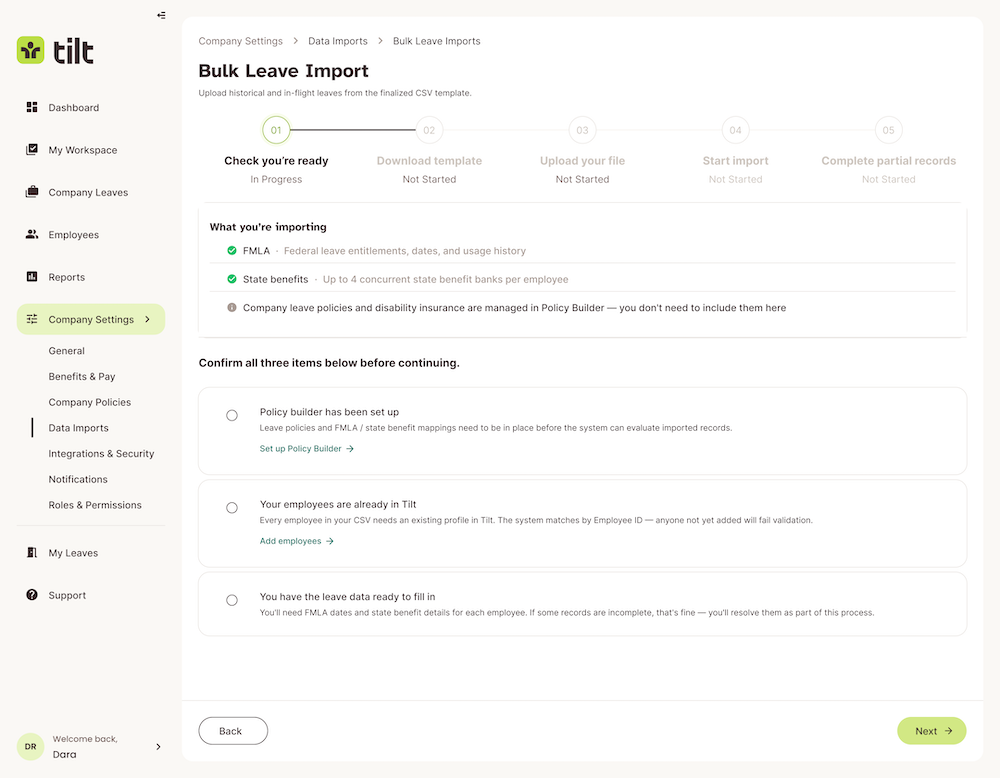
For teams moving from another solution, bulk leave imports make it easier to bring historical and active leave information into Tilt while maintaining continuity for employees already on leave.
Expanded Roles and Permissions
As organizations grow, leave often becomes a shared responsibility across HR, IT, payroll, managers, and employees. Each person plays a different role in supporting the leave journey, which is why having the right tools in place is essential.
That’s why we’ve introduced new roles to the platform, including Leave Admin and IT, while expanding permissions and control for existing roles like HR users, managers, payroll, and employees. Organizations can define who has access to specific actions, such as reviewing documents, managing leave plans, updating leave information.
The result is a more collaborative process where HR, managers, and administrators have the right access for their responsibilities.
“It’s all about giving the right people the right access at the right time, protecting sensitive information while empowering every stakeholder to contribute where it matters most,” Johanson shares, “Because when responsibilities are clearly defined, collaboration can be seamless.”
New and Redesigned Tools
Inside the platform, we’ve redesigned the leave experience to help your team spend less time on administrative work and more time supporting your employees throughout the leave journey.
The redesigned Leave Survey creates a guided experience for employees while helping HR collect more complete information upfront. Instead of navigating a long list of questions, employees are guided through the process step by step, making it easier to complete while reducing follow-up work for HR. By capturing important details like work schedules and intermittent leave needs earlier, teams can build more accurate leave plans from the start.
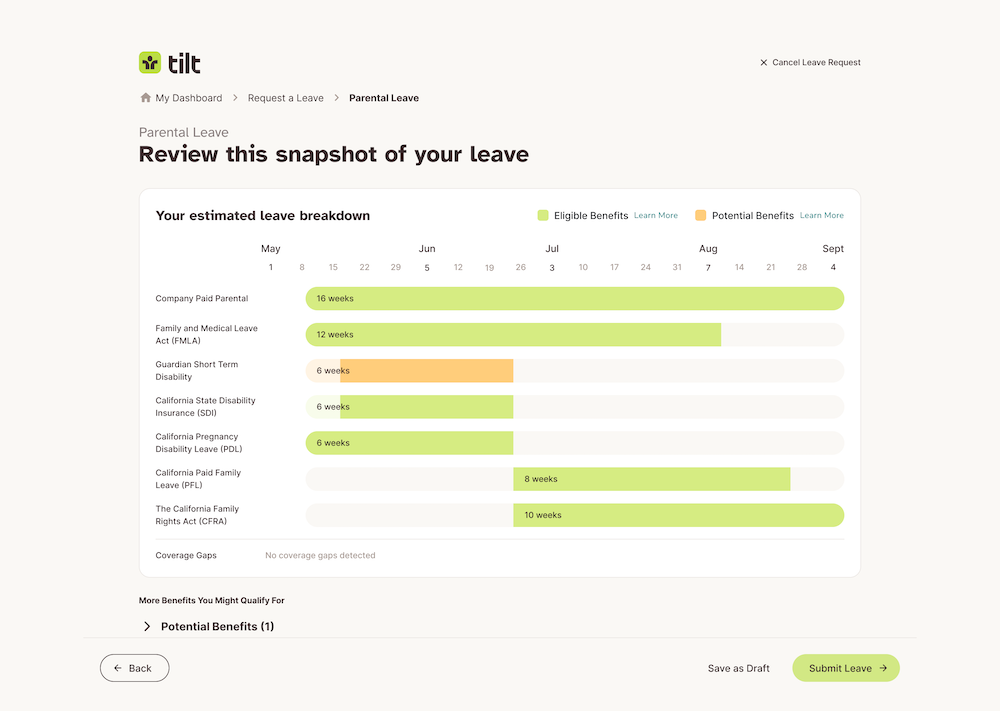
That information flows directly into the enhanced Leave Planner, where employees can explore their leave options before submitting a request. They can review available benefits, see how different leave details come together, and even save their leave plan as a draft if they aren’t ready to submit it.
Once a leave is approved, the new Leave Admin page becomes the central location to manage the entire leave journey. HR can view leave dates, working schedules, benefits, documents, and to-do items in one connected experience, making it easier to manage updates, review information, and confidently guide employees from the initial request through their return to work.
A Centralized View To Effectively Manage Leave
In HR, you know that managing leave is rarely a simple task. You’re constantly reviewing requests, overseeing leave compliance, answering questions, tracking documents from multiple leaves, and making sure nothing falls through the cracks.
That’s why we built My Workspace, a dedicated page to bring together your most important tasks so you always know what to do next.
“Think of My Workspace as your automated guide for getting work done,” shares Tilt Chief Revenue Officer Brandon Salisbury. “Instead of opening individual leave records to see what’s changed, you can view every pending action across your organization in one prioritized view.”
In addition to My Workspace, we also built out new custom notifications to give your team both greater personalization and visibility into key emails sent throughout the leave journey. Salisbury adds, “Whether you’re updating an existing email or creating a new one from scratch, your communications can reflect your organization’s voice, policies, and employee experience—not a one-size-fits-all template.”
Elevated Experiences for HR, Managers, and Employees
Throughout the leave experience, every stakeholder needs something different. That’s why we’ve reimagined each experience around the work people do every day, giving everyone the information they need to better support the leave journey.
HR Dashboard
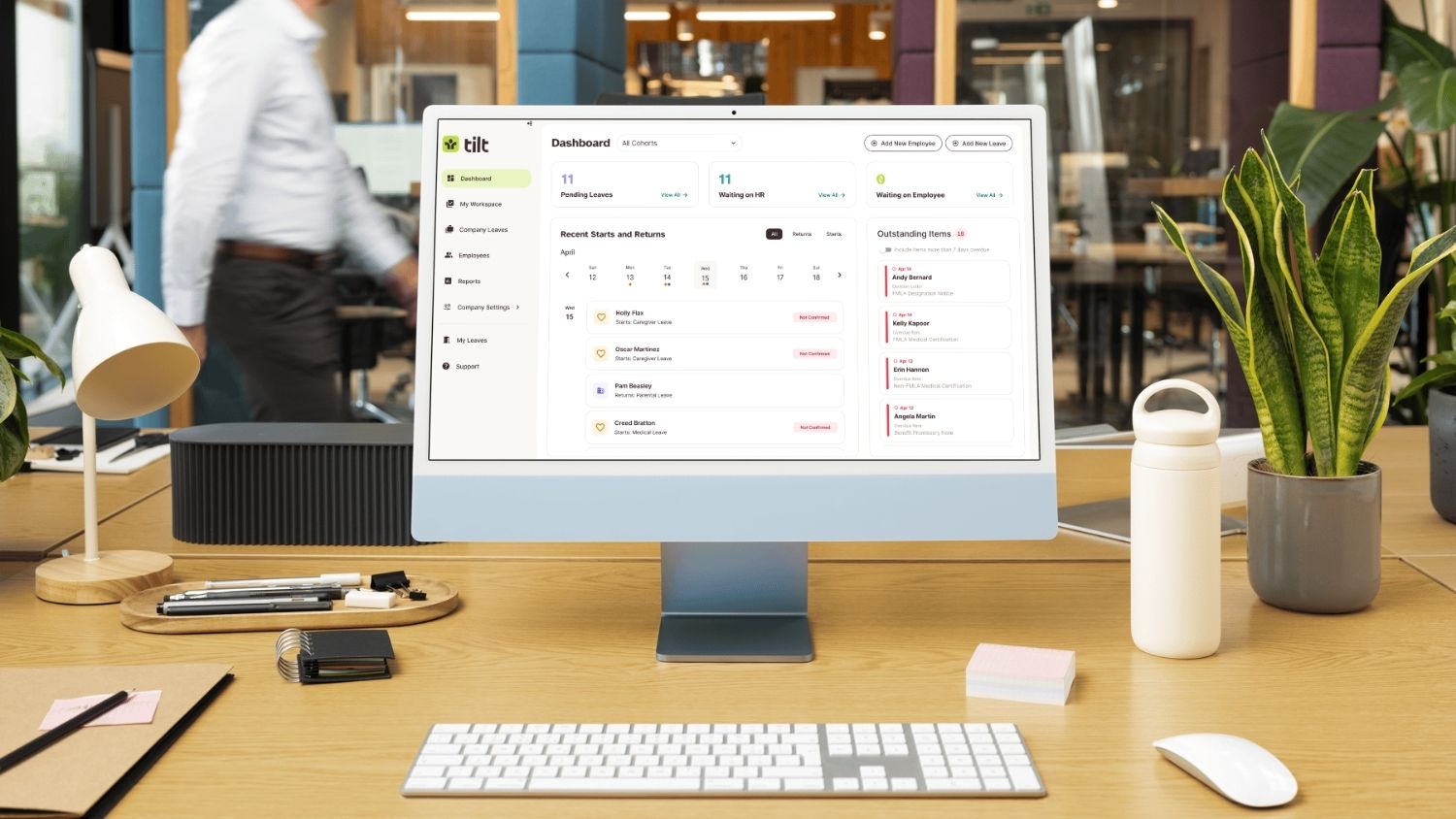
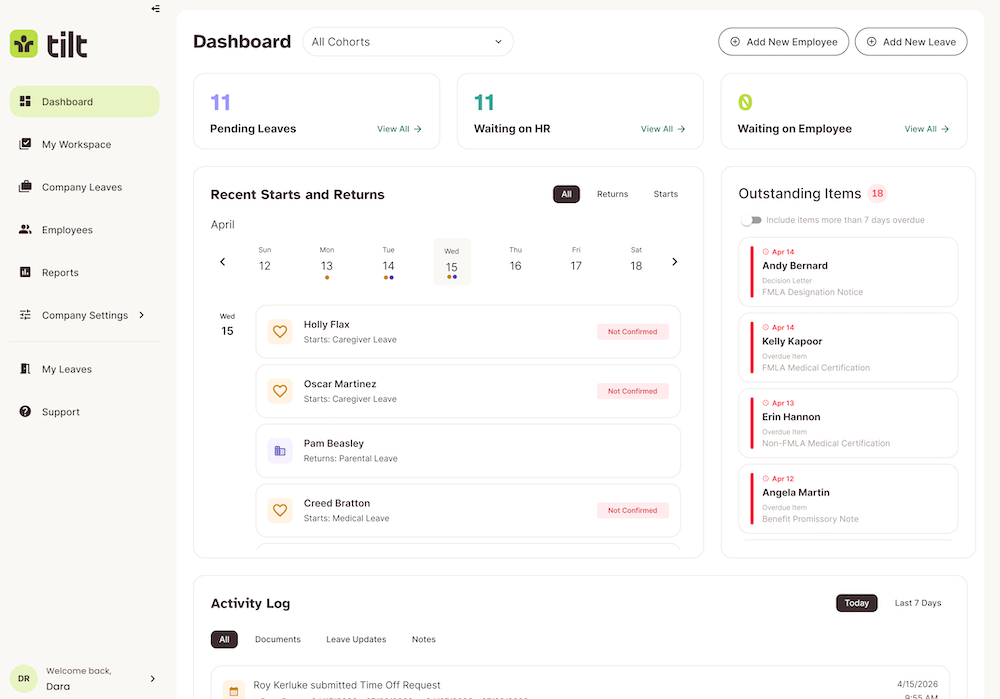
The recently redesigned HR Dashboard serves as a command center for every leave happening across your organization. Instead of piecing together updates from emails, spreadsheets, or multiple systems, HR teams can see upcoming leave starts and returns, outstanding action items, and the highest-priority work that needs your attention in one real-time view, helping your team stay organized and respond faster.
Manager Dashboard
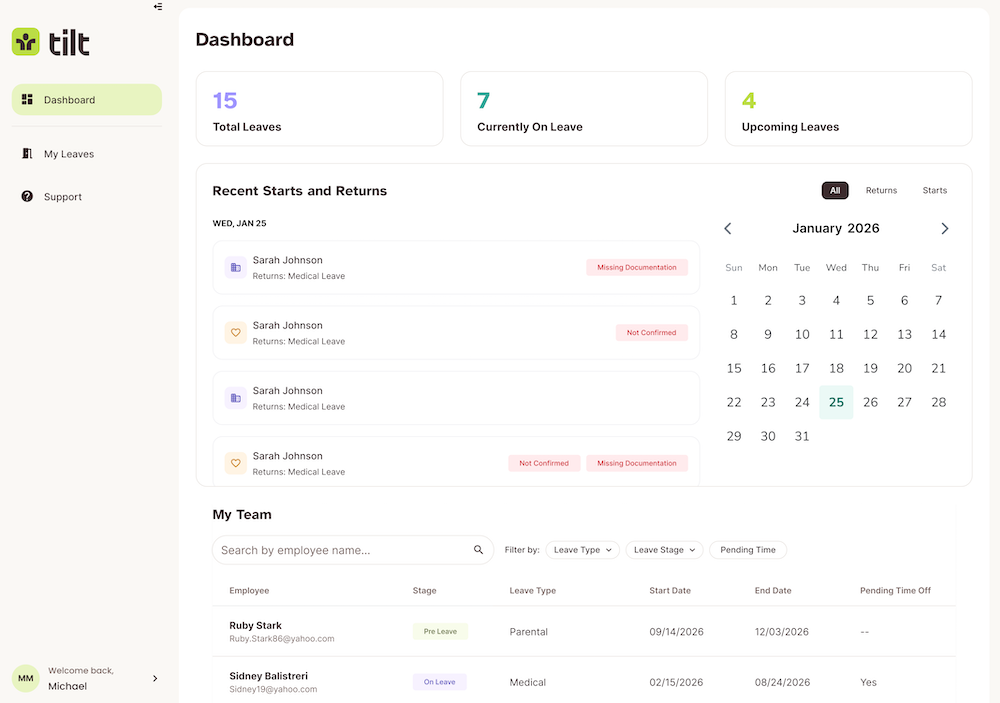
Managers play an important role in supporting employees, and the new Manager Dashboard gives them the visibility to do just that. They can view active and upcoming leaves for their direct reports, quickly see leave statuses and key dates, and use dedicated Starts and Returns views to look ahead without relying on others for updates.
Employee Dashboard
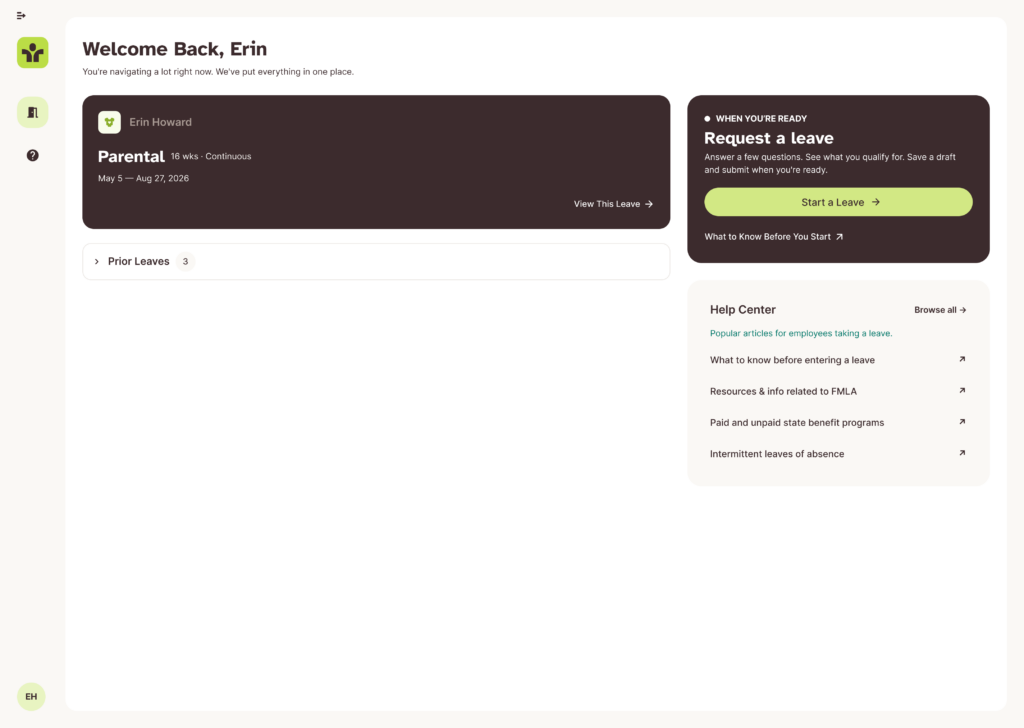
Employees are at the center of every leave journey, and the redesigned Employee Dashboard gives them one place to understand and manage their experience. They can review current and past leaves, start a new leave request, or save a draft to finish later while easily accessing the information they need throughout the process.
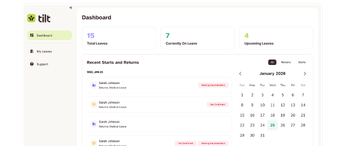
As their leave progresses, they can complete important to-do items, access required documents and helpful resources, track key actions, and stay informed every step of the way. Instead of wondering what comes next, employees have a centralized experience that gives them more clarity and confidence throughout their leave journey.
A New Way To Manage Leave Starts Here
Tilt’s new in-house leave management solution gives organizations the flexibility to manage leave internally while providing the technology and support needed to build a stronger leave program and a better leave experience for everyone involved.
If your team is looking to modernize leave management and gain more control over your leave program, explore Tilt’s new in-house leave management solution and see how you can create a better leave experience for your employees, managers, and HR team. Meet with Tilt.